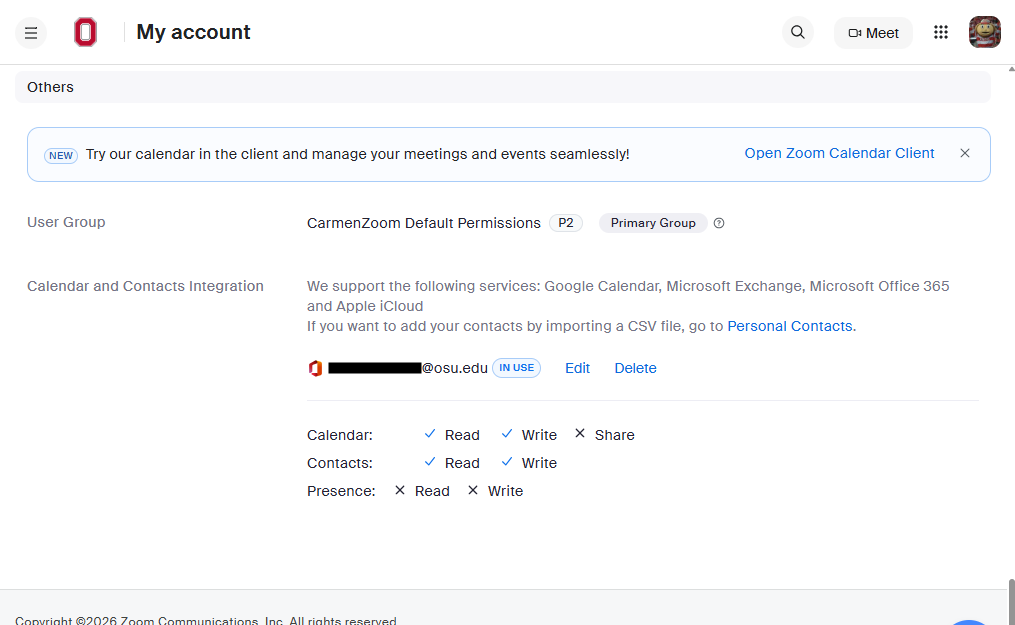
CarmenZoom provides an integration that allows you to connect your Microsoft 365 calendar with your Zoom account. This lets you see your calendar and meeting schedule within the Zoom desktop app. The integration also lets you schedule meetings within the Zoom app and have them appear on your Outlook calendar.
- Log in to CarmenZoom.
Click on your profile picture in the upper-right corner of the window and select Profile.
Image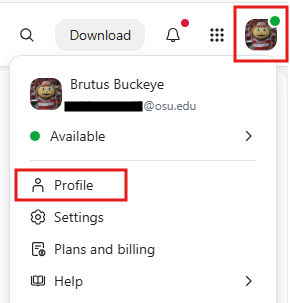
- Under the Others header at the bottom of the page, you will see a Calendar and Contacts Integration section.
Click the Configure Calendar and Contacts Service button.
Image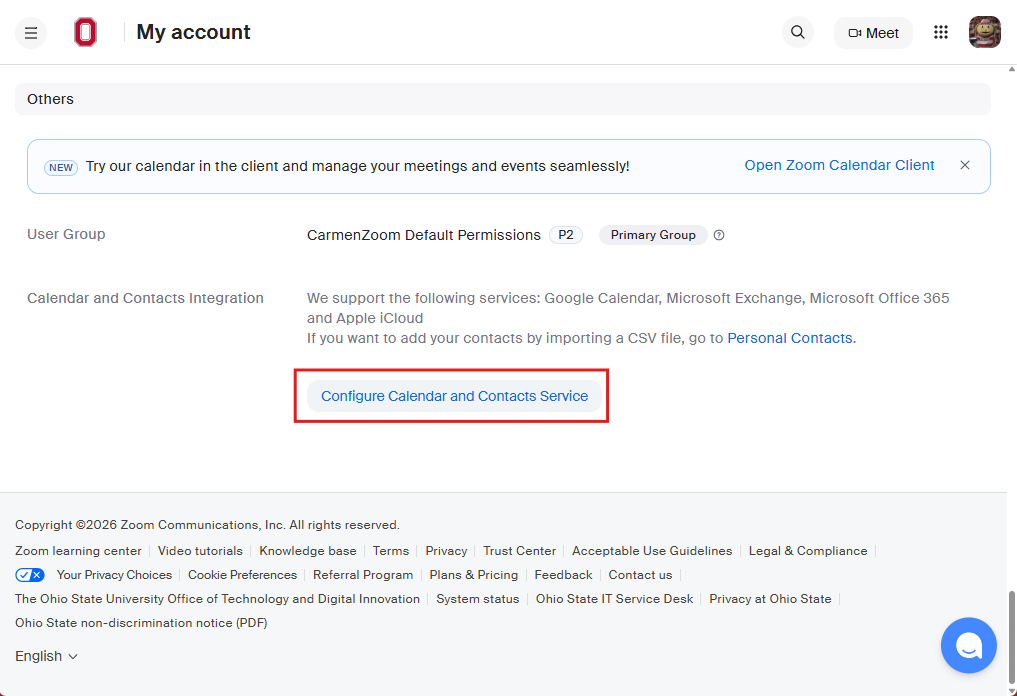
- In the Configure pop-up, click Continue.
- You will be taken to Microsoft's log-in pages. Enter your email address, password, and complete the Duo prompt (if required). This part may happen automatically if you are already signed into a Microsoft 365 tool in your browser.
Once you've signed in successfully, your Zoom profile page will reload with a brief success message. You can further confirm that everything is working by scrolling back down to the bottom of the page and seeing your email address in the Calendar and Contacts Integration section.
Image